 Getting started
 Pipeline
 Forecasts
 Deals
Deals Deals (advanced)
 Proposals
 Exports
 Library
 Resources
 Integrations
 Settings
 Glossary
 FAQs
FAQs Releases
Adjustments
IN THIS ARTICLE
Adjustments record named commercial changes on a deal. A discount reduces the total price the buyer pays; a charge increases it. Cost stays untouched, so the margin impact stays visible.
Overview
An adjustment is a named line applied to the whole deal. You can stack several, each set as a discount or a charge, with its own reason, optional condition, and a fixed amount or a percentage of the total.
- A discount reduces price; a charge increases it. Both move price only, never cost, so a discount lowers margin (and fires the below-target warning when you cut too deep) while a charge lifts it.
- The net total flows through to proposals, exports, and forecasts as the headline payable value.
- Each adjustment can carry a buyer-facing reason and an optional condition note.
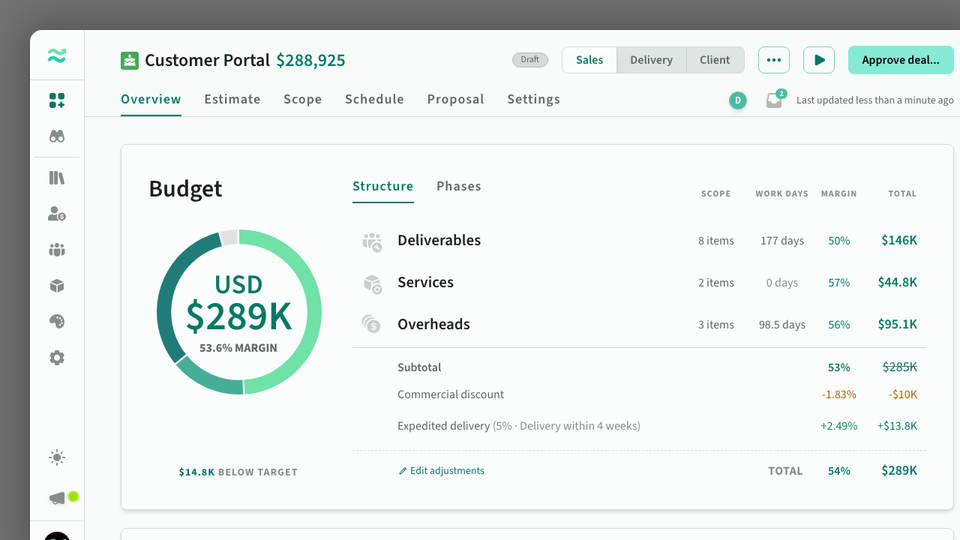
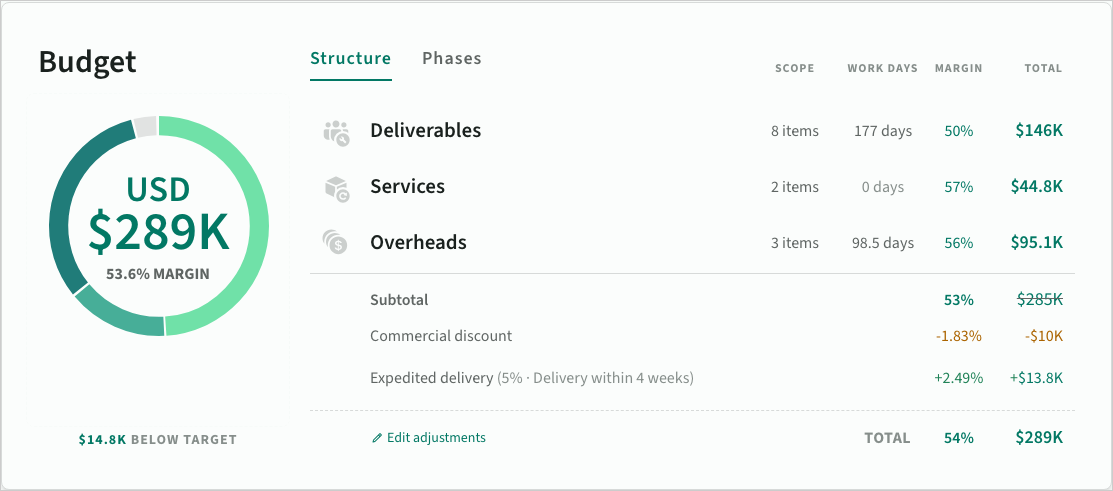 Adjustments on the deal overview
Getting started
Adjustments live on the deal overview tab, below the budget breakdown.
- Click Add adjustment on the Net total row to open the adjustments dialog.
- Set the row to Discount or Charge, enter a reason, then a fixed amount or a percent of the total.
- Add an optional condition note, then close the dialog.
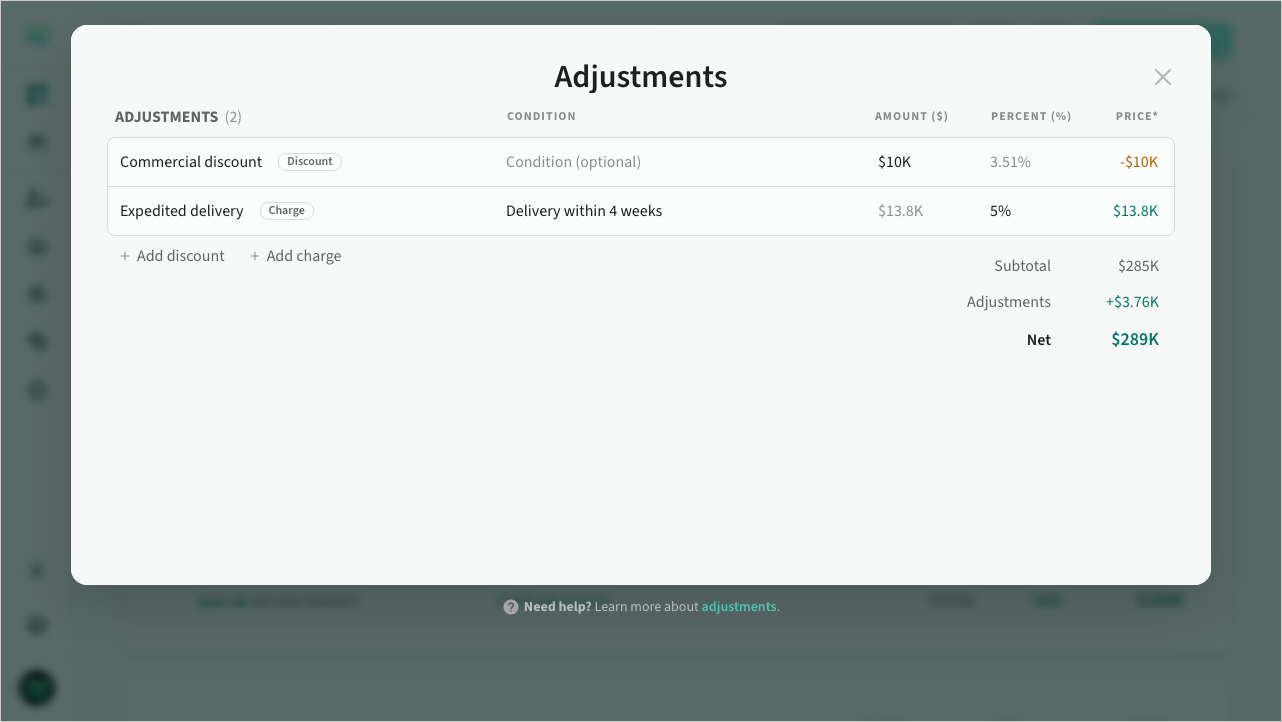 The adjustments dialog
Reason and condition
The reason is the buyer-facing label. Type your own, or pick from the grouped preset list: discounts (Commercial discount, Volume discount, Strategic discount, Early commitment) or charges (Expedited delivery, Fixed-price premium, Risk premium, Out-of-hours premium). Picking a preset also sets the row's type.
The condition is an optional prospect-facing note, for example "valid until 30 Jun 2026". When set, it appears alongside the adjustment in the deal and as a footnote on the proposal budget slide.
Amount and percent
Set each adjustment as either a fixed amount in the deal currency or a percent of the total. You enter one method; the other column shows the equivalent value.
Adjustments apply in list order, each against the running remainder after the ones above it. Drag to reorder them. A discount can never take the net below zero; a charge can lift the net above the gross subtotal.
The deal shows the subtotal, each adjustment with the margin points it moves (a discount as a reduction, a charge as an increase), and the resulting net total with its net margin.
Proposal budget slide
When a deal has adjustments, the proposal budget slide lists the subtotal, each named line with its amount (discounts as −, charges as +), and the net total as the headline figure. Conditions appear as footnotes. Internal attribution is never shown to the buyer.
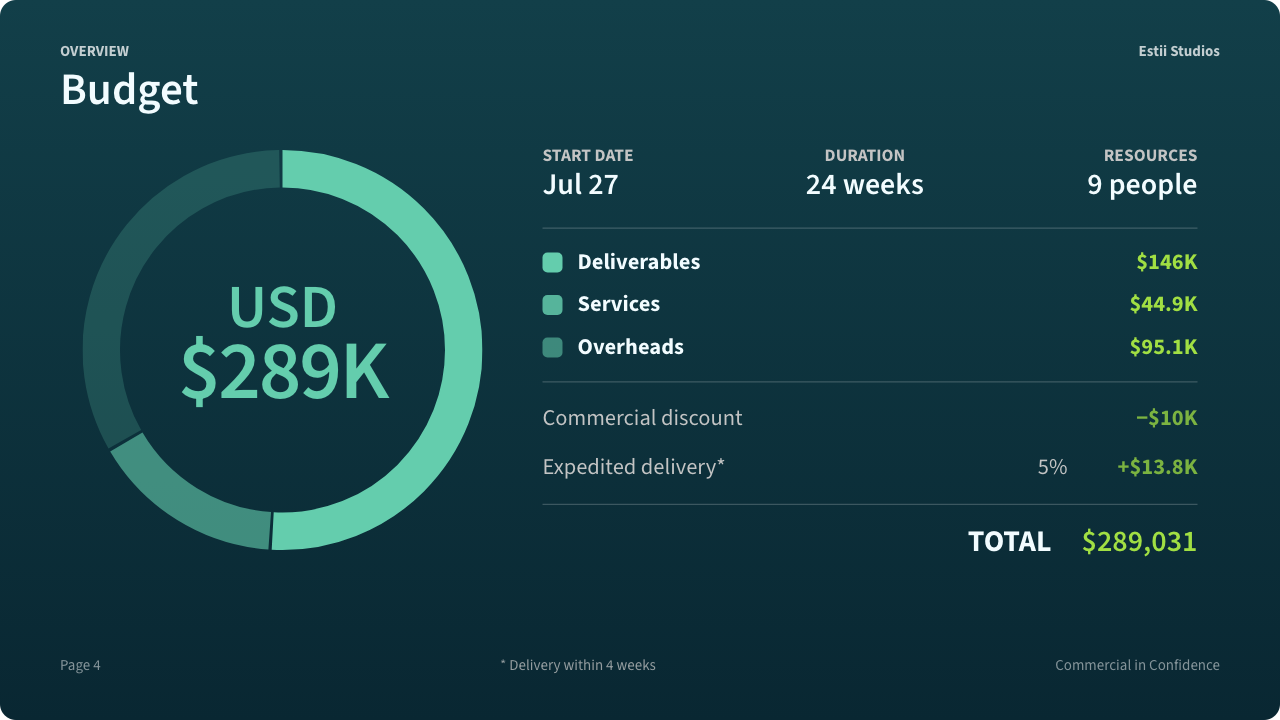 Budget slide with adjustments