 Getting started
 Pipeline
 Forecasts
 Deals
Deals Deals (advanced)
 Proposals
 Exports
 Library
 Resources
 Integrations
 Settings
 Glossary
 FAQs
FAQs Releases
Review
IN THIS ARTICLE
Review reads the deal you have modelled and raises the things an approver is likely to ask about
Overview
Review sits on the deal overview, below the budget. It reads across the scope, estimates, pricing, margin, schedule, payments and delivery plan of the deal in front of you, and raises anything worth understanding before you commit.
You do not run it. Every check runs against the deal as it stands, and updates as you work, so a finding you have dealt with disappears on its own. Two people looking at the same deal see the same review.
Review has two tabs:
- Findings, what this deal's own numbers imply right now
- Compare, how the deal stands against an earlier version or another variant
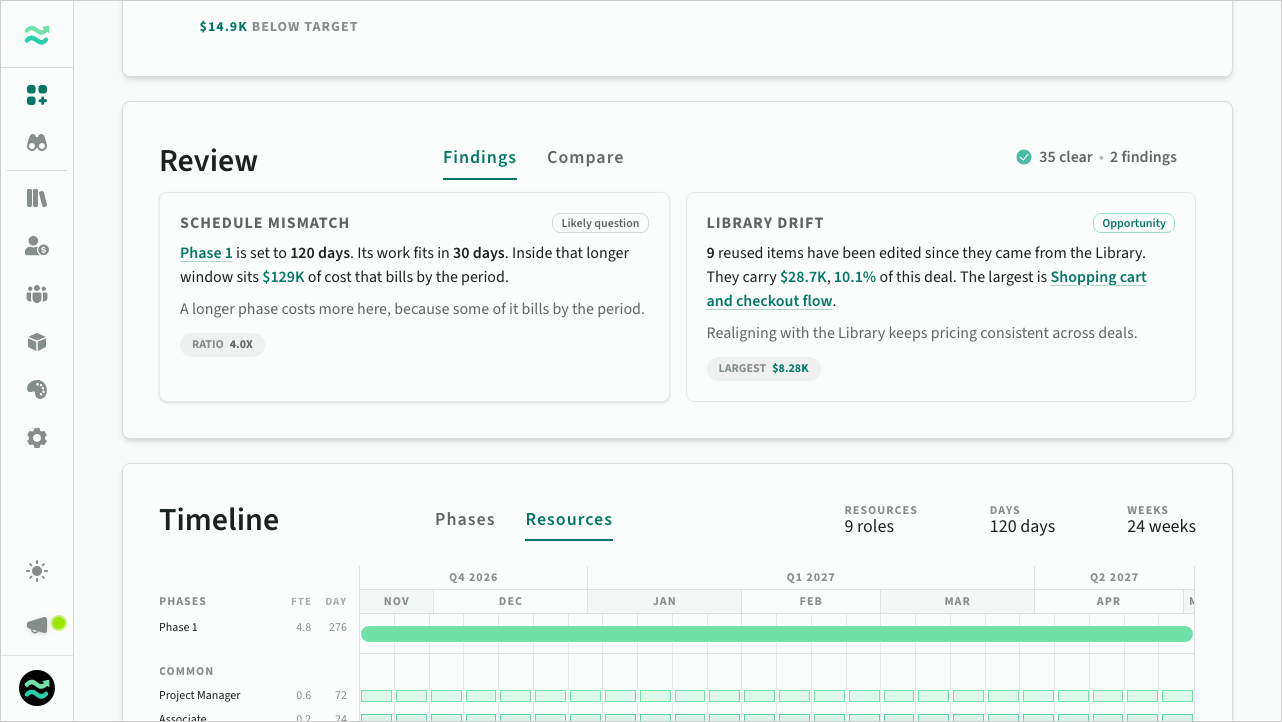 The Review panel on the deal overview
Findings
A finding is stated in two parts: the condition Estii can see in your numbers, then what it means commercially.
Cash exposure. By 5 May you have spent $166,954 and billed $51,411. That gap of $115,543 is 56% of the deal, and it is the widest it gets.
You carry that gap until billing catches up.
Findings are ordered by how likely each is to be asked about: how much of the deal's value it puts at stake, weighted by the kind of question it is. Findings marked Upside always list after findings about the deal's own money. Nothing here says a deal is wrong or that action is due. The check measures the deal against itself, and the judgement stays yours.
Where a finding names something in the deal, such as a phase, an item, a role or a milestone, that name is a link. Click it to go straight there.
What Review checks
Checks are grouped by the decision they speak to.
- Pricing. Whether the price holds together: what actually earns margin, and whether any part of the deal is priced unlike the rest of it
- Risk. What the scope you rated as risky earns, against the deal as a whole
- Cash. How cost and billing line up over the life of the deal, whether billing runs ahead of the work, how much rests on the final payment, and whether the risky work sits behind it
- Discounts. Whether the discounts stay inside the limit your space sets, and whether a deal-only resource is priced or costed under the space rate it came from
- Currency. What exchange rates have done to the margin since the deal stored its rates, with the rates the deal holds left unchanged
- Delivery. Whether the schedule matches the work, and what the plan assumes about the people available to do it
- Scope. Price that is not backed by estimated work, and value you have built but priced out of the deal
- Library. Whether the deal draws on your Library, whether reused scope has been edited since it came from there, and how much of the deal is delivered by deal-only resources that no space resource governs
Estii shows you the full list at any time. Click the checks count in the panel header to see every check that ran, what each one measures, and where this deal landed against it.
 Every check that ran against the deal
When Review says nothing
Most deals return few findings, and many return none. That is a result, not an empty panel: it means every check ran and none of them found anything an approver is likely to question.
Review only appears once a deal has enough in it to read. On a deal that is barely started there is nothing meaningful to say, so the panel stays hidden rather than reporting a clean deal that nobody has finished building.
Compare
The Compare tab shows how the current deal differs from an earlier version or, when the deal belongs to an opportunity, another variant.
The table compares key commercial figures, including price, cost, profit, margins, effort and duration. Changes are highlighted, while unchanged values are greyed out.
Below the table, changes are broken down by category:
- Scope: Work added, removed or changed within existing phases.
- Phases: Phases added or removed.
- Rates: Changes to pricing rates.
- Resources: Changes to the delivery team.
- Adjustments: Changes to discounts or charges.
- Dates: Changes to the deal's start or end dates.
Use the selector to choose an earlier version or another variant to compare against. By default, Estii selects the most relevant earlier version, prioritising lifecycle milestones, named versions and significant price changes.
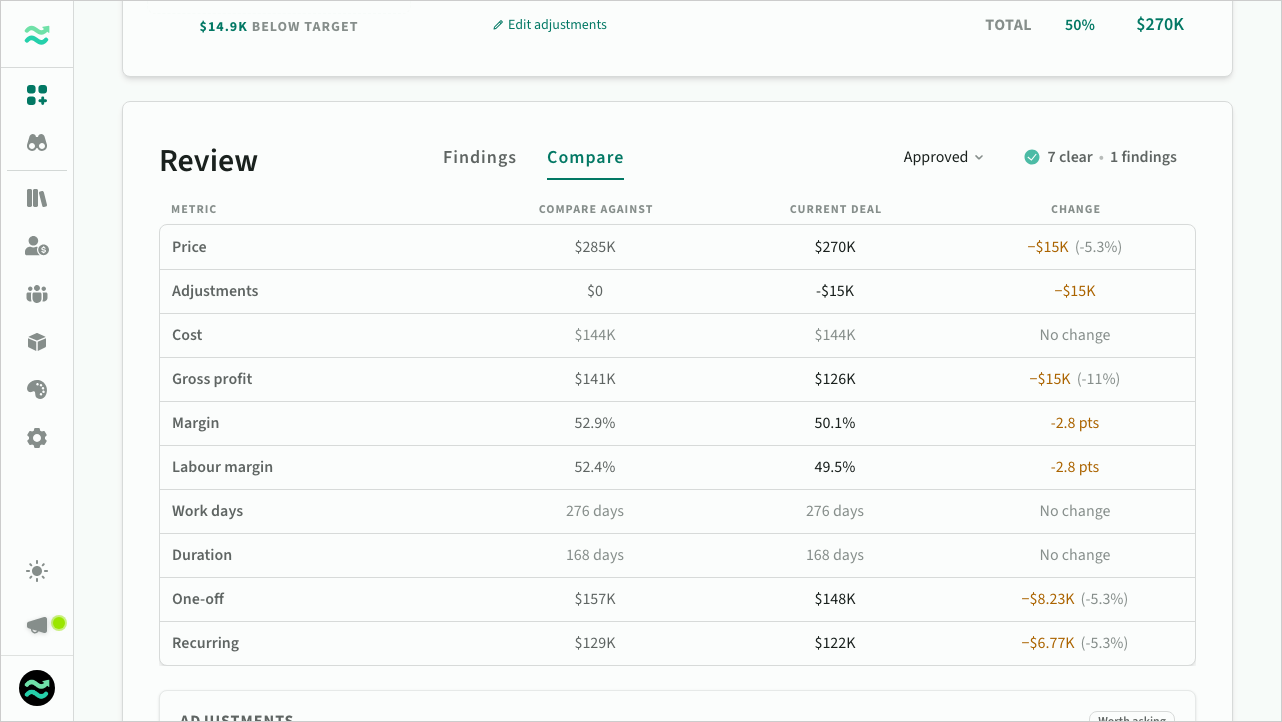 Comparing the deal with an earlier version
Comparing variants
When the deal is a variant of an opportunity, the selector shows the opportunity's other variants beside the deal's previous versions, with abandoned and archived variants listed last. A deal with no versions opens against another variant. A version or variant you have already run a detailed comparison against is marked Comparison available.
Against a variant, the two deals sit side by side. Each column is named for its deal, with this deal on the right, and every difference reads as this deal against the other. Neither is treated as the earlier one.
Variants built separately may share little work. The figures still show, and Estii says how much of this deal has no match in the other. A detailed comparison works out which items are the same work described differently.
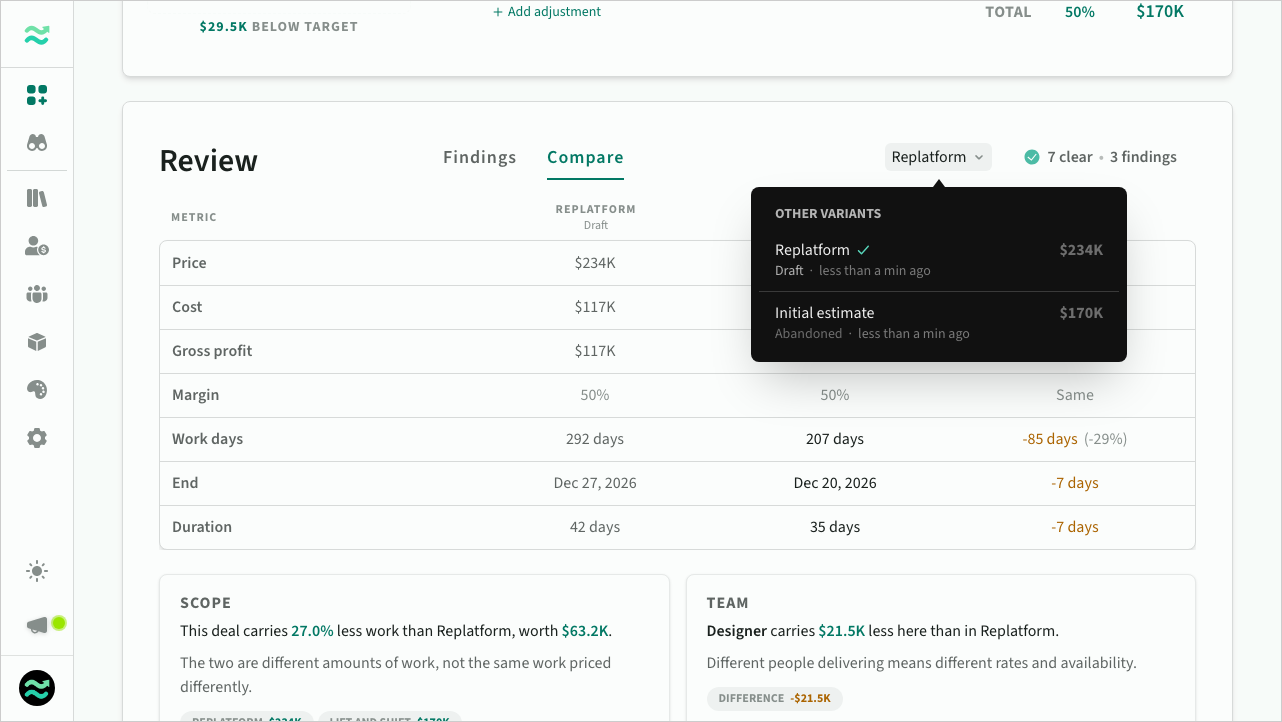 Comparing the deal with another variant
Detailed comparison
For a deeper understanding of what's changed, run a detailed comparison from the bottom of the Compare tab. Each run counts towards your AI usage. Once it has run, select View report to open it.
The report includes:
- Summary: Key changes and their commercial implications, with the figures as they stood when it ran.
- Price bridge: A breakdown of what contributed to the price difference, including scope, effort, rates and adjustments.
- Scope: Items added, removed or modified in each phase, with changes to effort and price.
- Team and payments: Changes to team allocations, and payment milestones whose timing or amount changed.
Estii also identifies work that may have been renamed or restructured, helping you distinguish genuine scope changes from differently described work.
Detailed comparisons are saved with the version or variant they compare against and available to anyone who can access the deal's Review tab. A detailed comparison of two variants is saved once for the pair, and opens from either variant, read from the one you are on. If the deal changes afterwards, Estii highlights information that may be outdated. You can run the comparison again at any time.
From the report you can:
- Share a link to it.
- Print it or save it as a PDF.
- Download or copy it as Markdown.
- Copy a prompt for your own AI assistant.
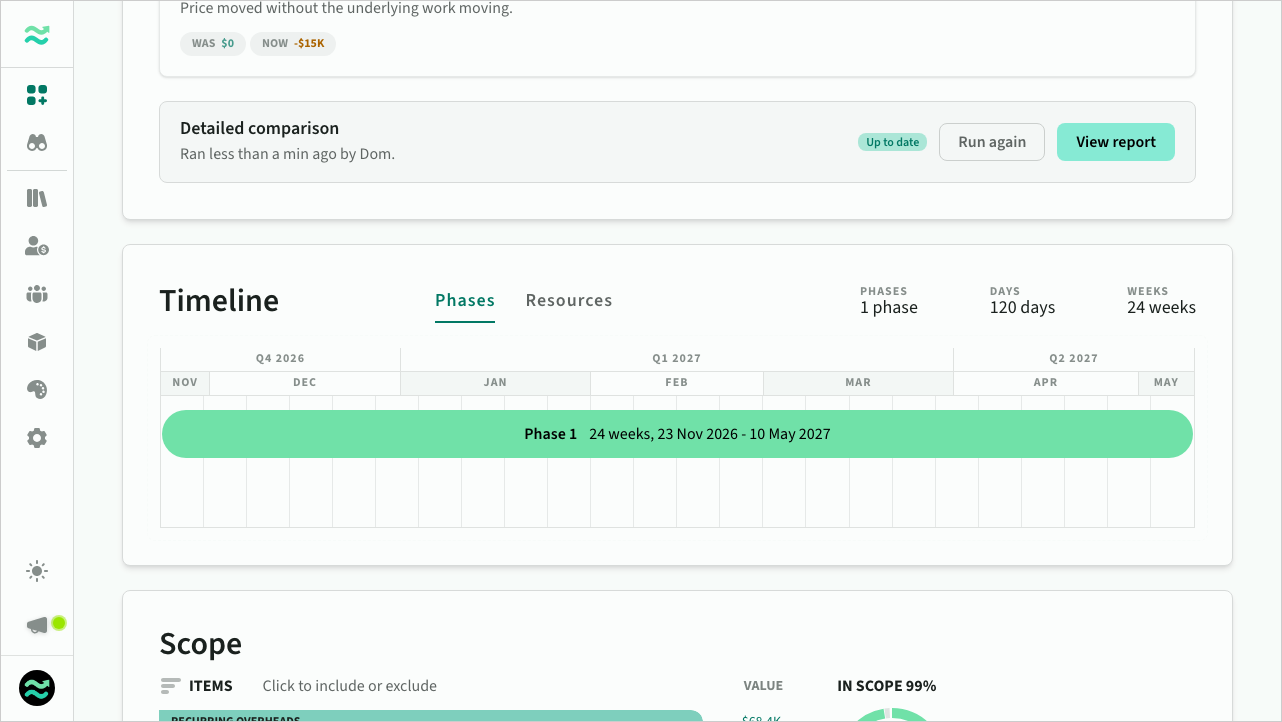 A detailed comparison against an earlier version
What Review needs from your deal
Review uses the information available in your deal. Some findings depend on specific data, such as risk ratings, payment milestones or reusable library content. If that information isn't available, those checks are skipped.
Review is an internal tool for preparing and approving deals. Its findings and comparisons are never included in shared deals or proposals.