 Getting started
 Pipeline
 Forecasts
 Deals
Deals Deals (advanced)
 Proposals
 Exports
 Library
 Resources
 Integrations
 Settings
 Glossary
 FAQs
FAQs Releases
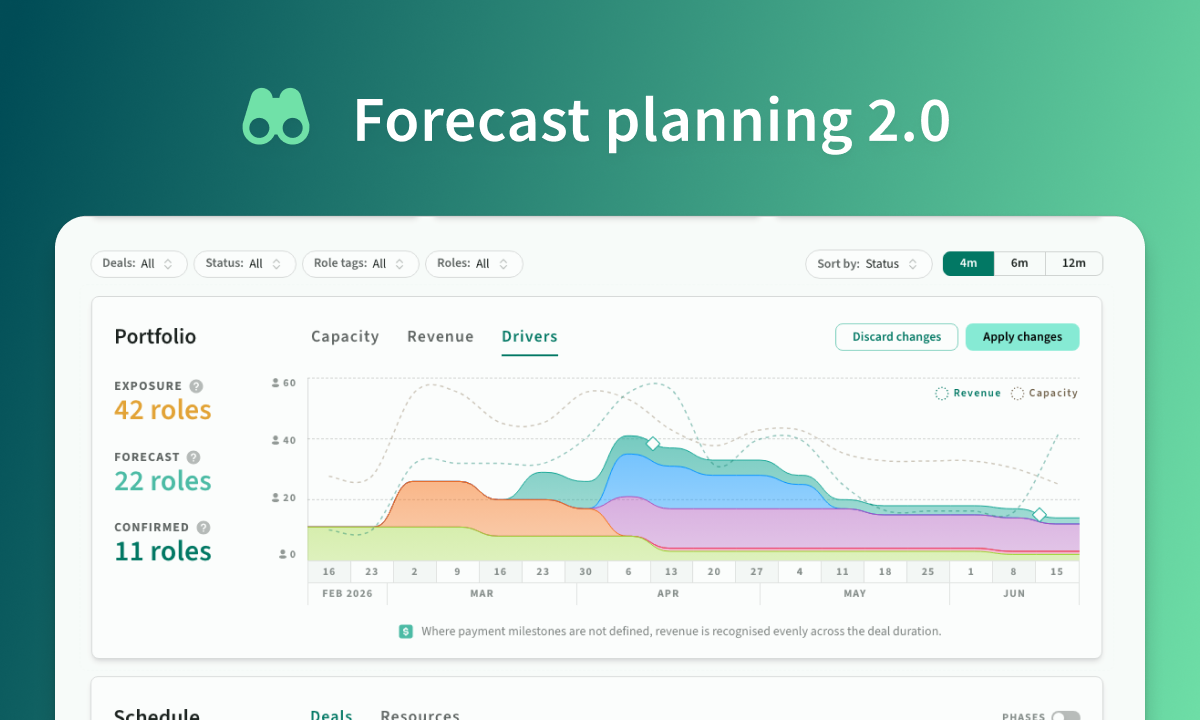
Forecast planning 2.0
Mar 4, 2026
Forecasts planning 2.0 with revenue recognition forecasts and deal rescheduling
Overview
In this release, we expanded Forecasts from a capacity-first report into a full planning workflow.
- Forecast planner: We brought capacity, revenue recognition, and deal drivers together so you can compare them side by side.
- Revenue over time: We now show full revenue recognition using payment milestones where available, with sensible fallback recognition where they are not.
- Deal Drivers: We made peaks and troughs easier to read, so you can quickly identify which deals are creating load.
- Rescheduling workflow: We added drag-to-test shifts, change review, and apply-in-one-go controls.
- Performance and continuity: We improved long-range performance and now persist active tabs and filters across refreshes.
Forecast planner
We redesigned Forecasts to support planning decisions directly in the page, not just reporting.
- Capacity, revenue, and drivers now work as connected views
- Hovering a deal in Drivers highlights matching schedule rows and resources
- You can move between analysis and action without leaving Forecasts
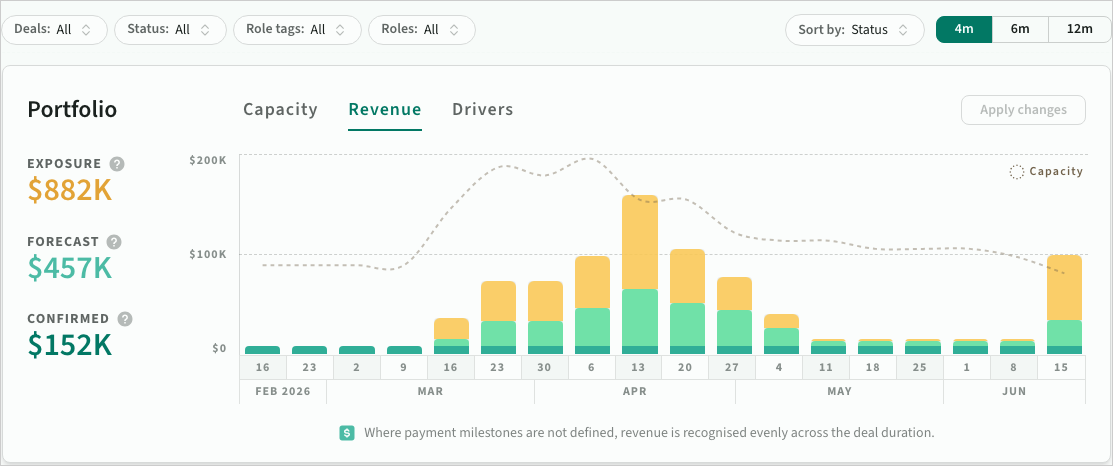 Revenue recognition in Forecasts
Revenue recognition and deal drivers
We improved how revenue and demand patterns are explained over time.
- Revenue now reflects payment milestones when they exist
- Forecasts applies practical recognition when milestones are not defined
- Driver views now make it easier to understand which deals are creating peaks and troughs
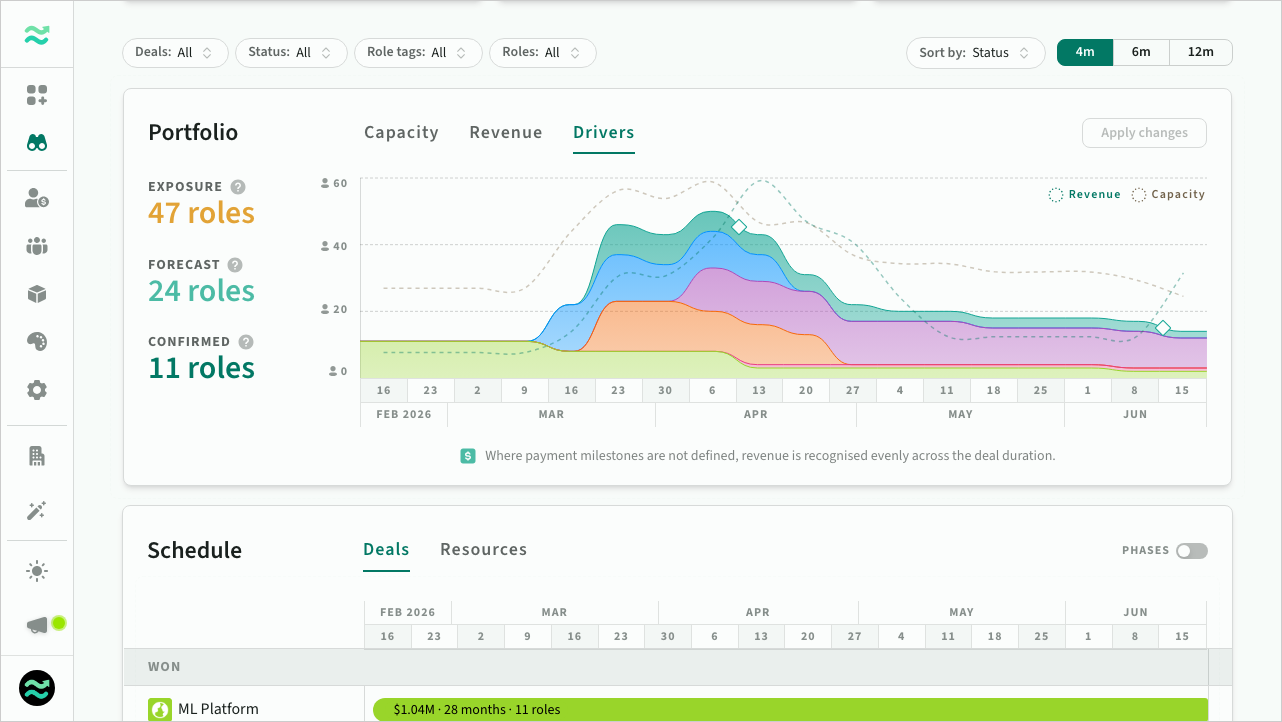 Deal drivers in Forecasts
Rescheduling workflows
We introduced a simple workflow for rescheduling multiple deals.
- Drag deals to test timeline shifts (and impact on revenue and capacity)
- Preview impact to resources and timelines
- Review all proposed changes before applying
- Locked deals update version history when rescheduled
- Draft deals rescheduled directly
- Stale edits are flagged so you can refresh before applying
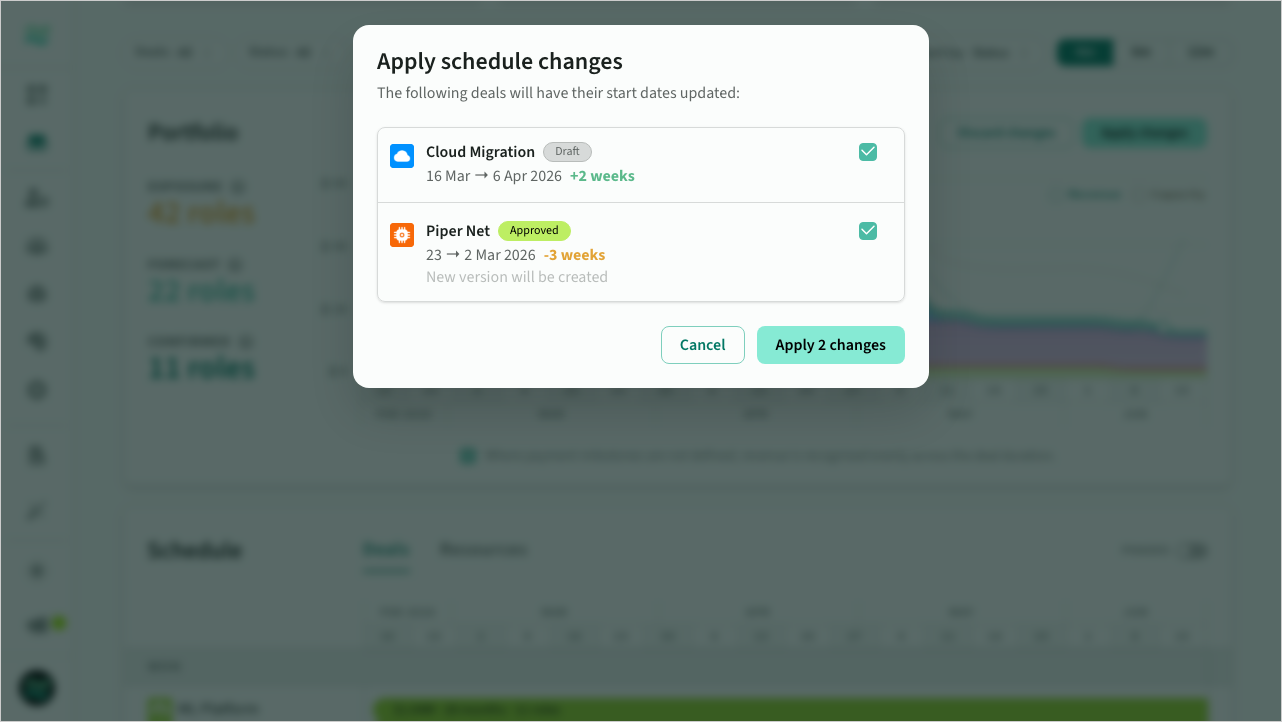 Bulk reschedule deals from Forecasts
 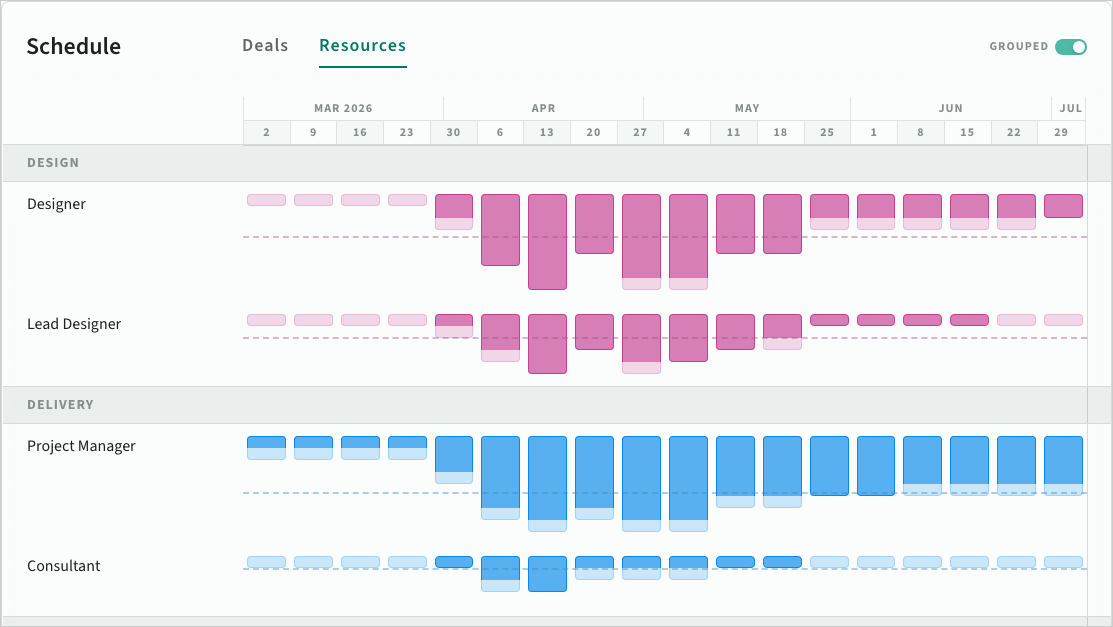 Improved resource schedule with groups
Misc
- Deal schedules now show milestone context more clearly in forecast views
- Resource grouping in Forecasts is easier to scan and compare
- Progressive loading and prefetch improve long-range timeline performance
- Active filters and selected tabs now persist after refresh