 Getting started
 Pipeline
 Forecasts
 Deals
Deals Deals (advanced)
 Proposals
 Exports
 Library
 Resources
 Integrations
 Settings
 Glossary
 FAQs
FAQs Releases
Discounts & Adjustments
 Discounts & Adjustments
Jun 24, 2026
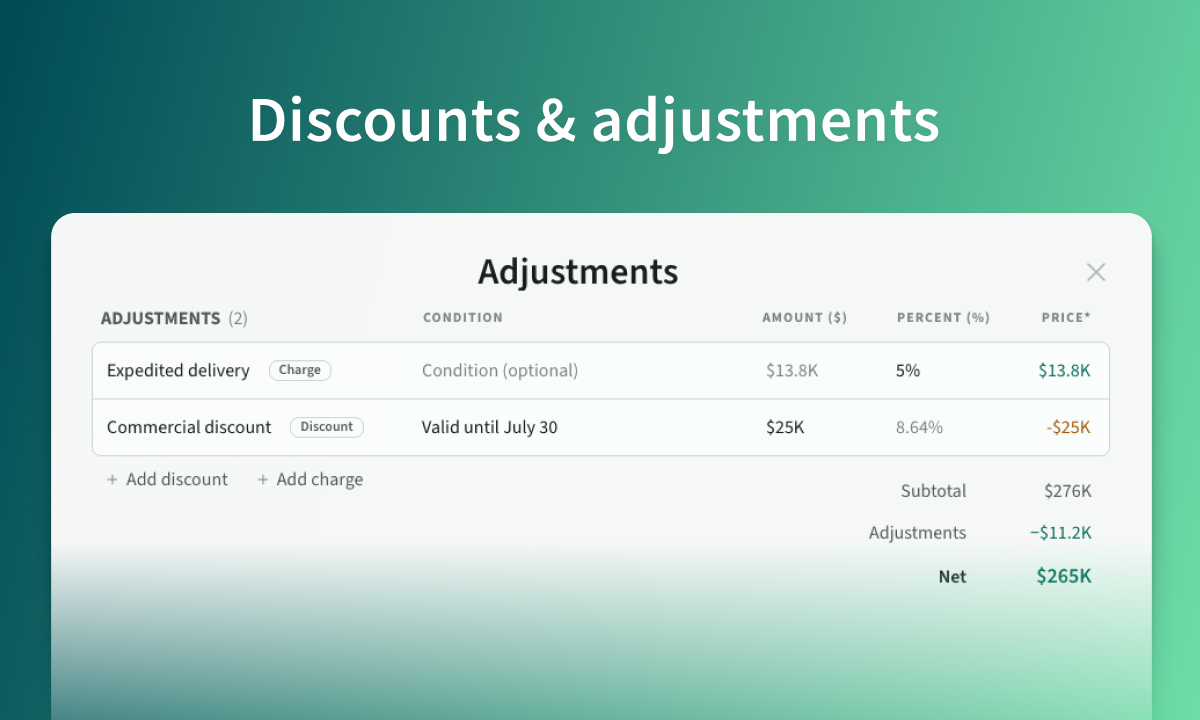
Apply named commercial adjustments to a deal. Stack discounts and charges, watch the margin impact as you go, and present a clean net total on the proposal budget slide.
Overview
- Add a commercial discount or charge to a deal via adjustments
- Quality-of-life improvements across the forecasts page
- Refreshed product overview videos for deals and forecasts
Discounts & charges
Adjustments let you apply a commercial discount or charge to a deal's final price. They move price, not cost, so you can see the margin impact as you go.
- Apply a discount or a charge to a deal's final price
- Set each as a fixed amount or a percent of deal value
- Edit from the deal overview, view in proposals
Here is a 30s walkthrough if you want to learn more:
Forecasts
A handful of quality-of-life improvements across the forecasts page:
- Weighted pipeline now surfaces deals pending approval, and combines approved and in-play
- Won deals chart includes a trend line and correctly labels its hero stat (last 90 days)
- Revenue chart tooltips expand on hover to show the top deals driving that revenue
- Shift-click a deal driver to open that deal in a new tab
- Fixed milestone positioning for deals on the schedule tab
We've also released a short overview video for forecasting (40s):
Overview videos
You might have noticed more video than usual in this release.
We recently updated our product overview videos, including our original deal walkthrough that was several years old. New version below. If you are interested, Dom recently wrote about how we automate them.
Misc
A handful of smaller changes and fixes:
- Margin ranges: default margin ranges (min, target, max) are configurable in space settings
- Proposals: fixed missing font weights in PDF export
- Themes: fixed font reset when switching fonts
- Deal overview: renamed the budget Estimates tab to Structure
- Blank template: create a deal from a blank, single-category template (default for new spaces)
- Blank template: new categories now default to the name Work