 Getting started
 Pipeline
 Forecasts
 Deals
Deals Deals (advanced)
 Proposals
 Exports
 Library
 Resources
 Integrations
 Settings
 Glossary
 FAQs
FAQs Releases
Deal opportunities
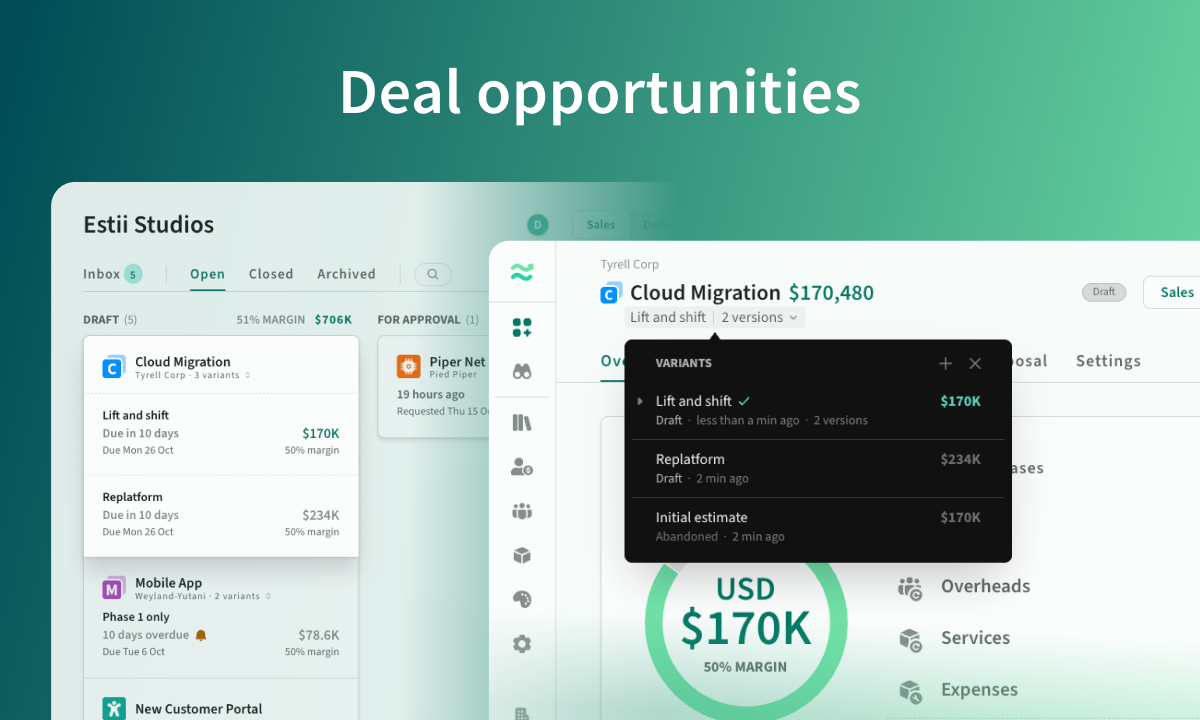
Oct 19, 2026
Group multiple deal variants into a single opportunity, keep pipeline values accurate, compare alternatives and explore more detailed commercial insights.
Overview
This release introduces Opportunities, a new way to manage multiple commercial variations of the same deal without cluttering your pipeline or inflating its value.
Alongside this, we've expanded deal comparisons, improved visibility into scope and profitability, and made AI imports more capable.
- Deal opportunities: Group related deal variants, manage alternatives and track them as a single opportunity across your pipeline and forecasts.
- Deal comparisons: Compare versions or variants, with detailed AI-powered analysis and MCP access.
- Deal-wide scope: See the breakdown of work across every phase in one place.
- Approval margins: Review labour and overall margins side by side.
- AI product imports: Import tiered, stepped and other complex product pricing models.
- Improved keyboard navigation: Navigate and edit faster with intuitive shortcuts and contextual hints.
Deal opportunities
Large deals rarely have just one commercial option. Different approaches, scope variations and pricing scenarios often need to be explored in parallel, sometimes internally and sometimes as alternatives presented to customers.
Opportunities let you group these related deals together while keeping each variant independent.
- One opportunity, multiple variants. Create new variants by duplicating an existing deal, or link existing deals together under a single opportunity.
- A more accurate pipeline. Related variants are grouped together, with only one contributing to the pipeline value, based on its progress through the deal lifecycle.
- Compare alternatives. Switch between variants within a deal and use Deal Compare to understand their commercial differences.
- Flexible forecasting. Choose which variant to explore in revenue and capacity forecasts, or switch between alternatives in the scheduling view.
- Clearer organisation. Give opportunities their own labels, making related deals easier to identify without relying on complicated deal names.
Opportunities are also available through the CLI and MCP server, so external agents and workflows can work with related deal variants.
Deal comparisons
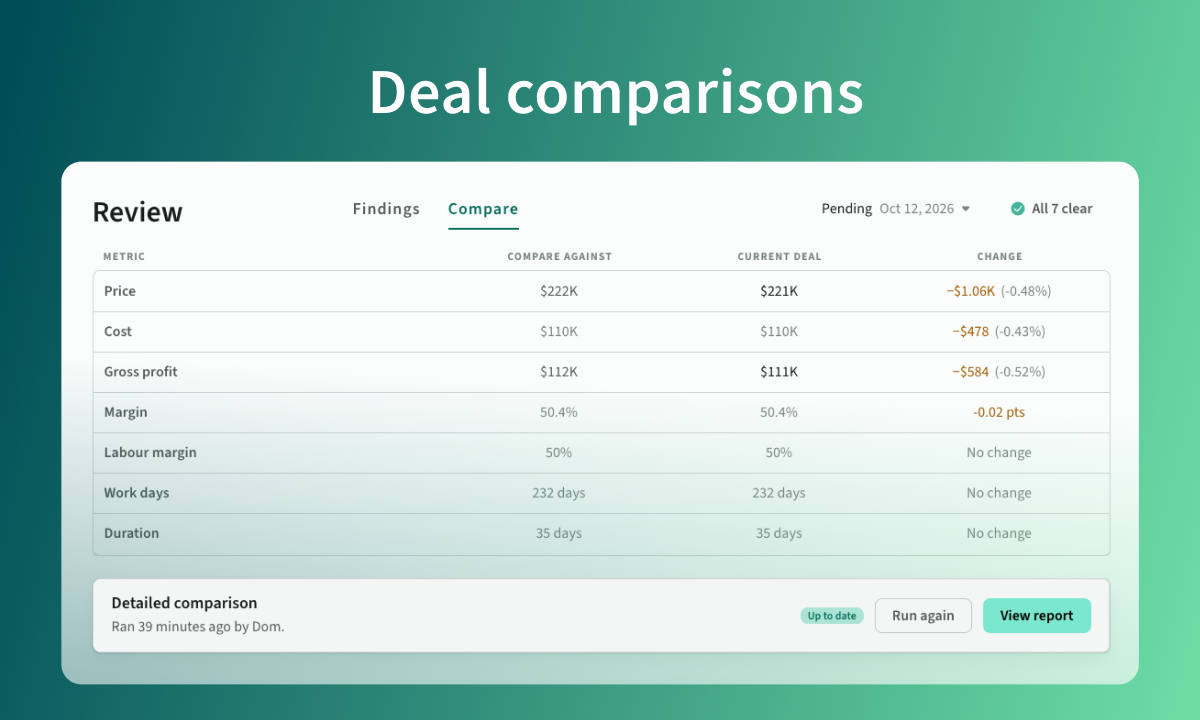 Detailed comparison between deal versions
Understand exactly what's changed between versions or variants of a deal. Compare key commercial metrics, including price, gross profit, overall and labour margins, effort and duration, alongside changes to scope, resources, rates and pricing.
For deeper analysis, use the Compare agent to generate a detailed breakdown of what changed and why. This contributes to your AI usage, but results are saved for each comparison, so you can revisit them without additional usage.
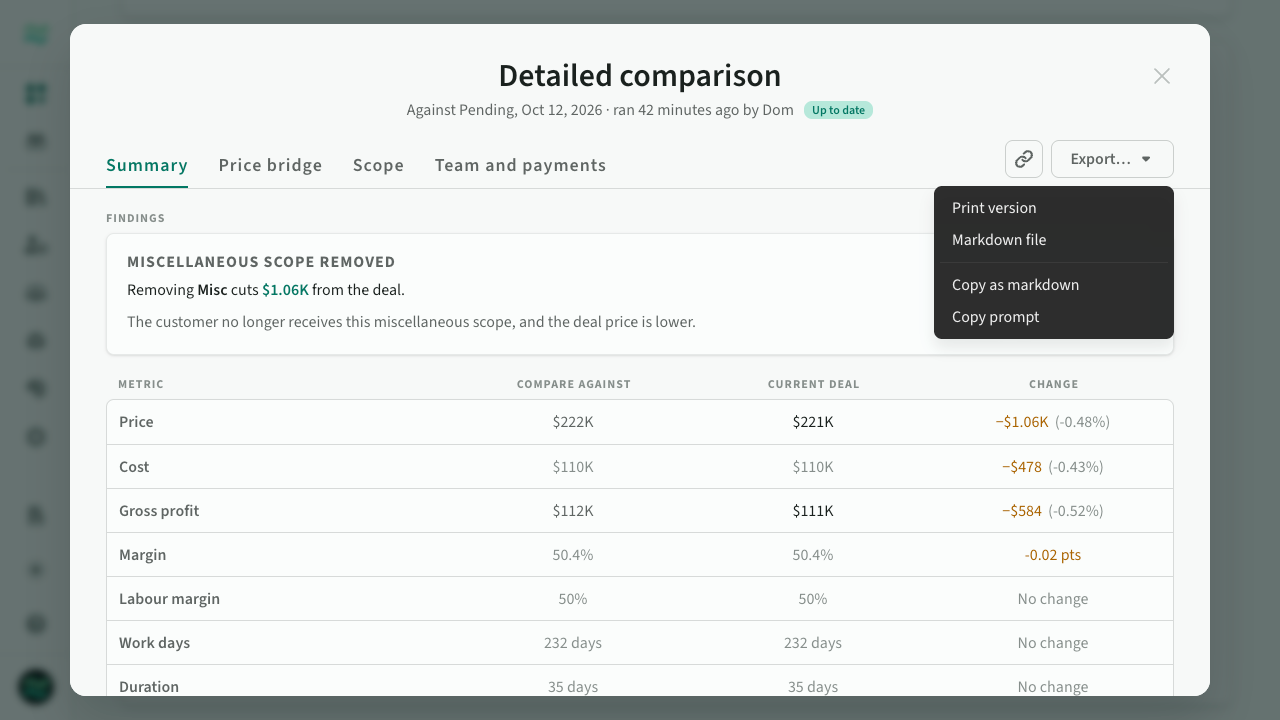 Detailed comparison between deal versions
Deal comparisons are also available through the MCP server, allowing external AI agents and workflows to analyse changes between deals and versions.
Deal-wide scope overview
See the scope of an entire deal in one place. The new Scope panel on the deal overview brings together work across all phases, making it easier to understand what's included and where the effort is concentrated.
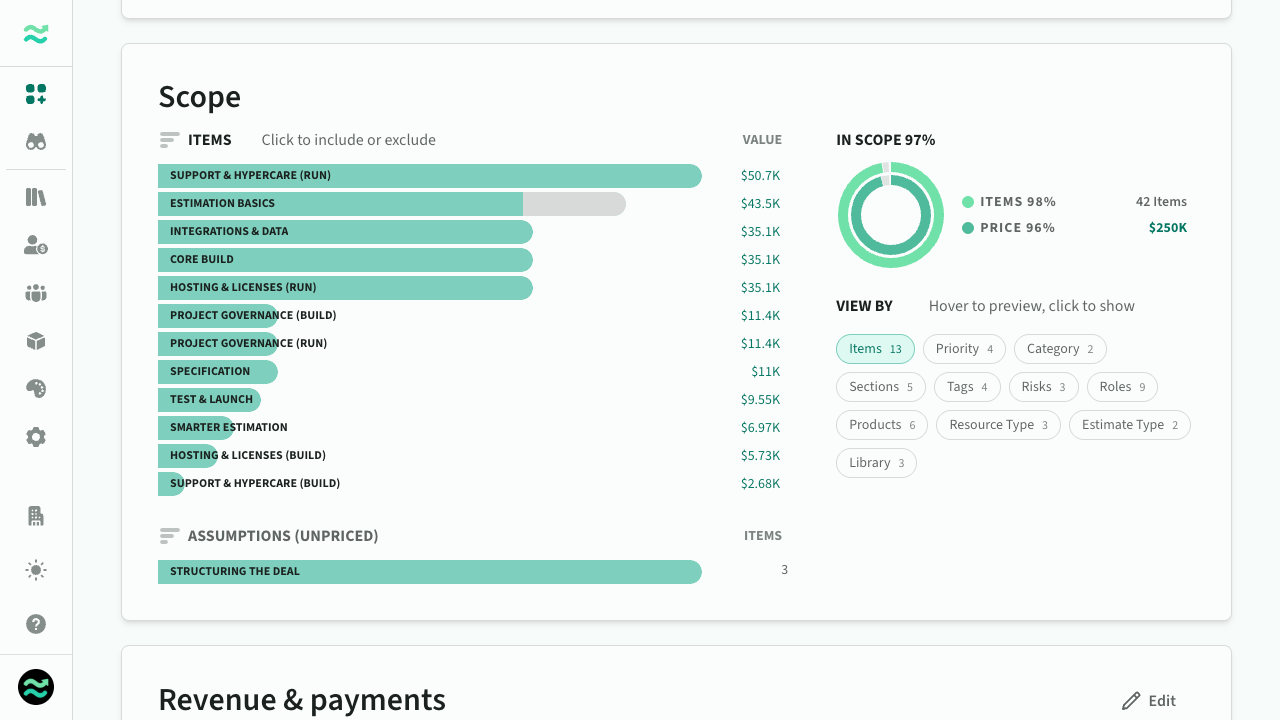 Scope panel on the deal overview
Labour margin in deal approvals
Deal approvals now show labour margin alongside overall margin, giving approvers a clearer view of profitability. Labour margin isolates the profitability of effort-based work, including roles and streams, rather than the deal as a whole.
AI product imports
Our AI-powered deal and product importers now support the full range of Estii's product pricing models, including tiered pricing, stepped pricing and pricing ranges.
Import complex pricing tables, calculators and service catalogues directly into your product library or as part of a deal, with less manual setup.
Improved keyboard navigation
We've overhauled keyboard navigation throughout Estii, making it faster and easier to move around and edit without reaching for your mouse.
Use arrow keys to navigate lists, move between fields and edit values, with shortcuts for common actions like adding, duplicating and reordering items. A new contextual shortcut bar shows you which keys are available as you work.
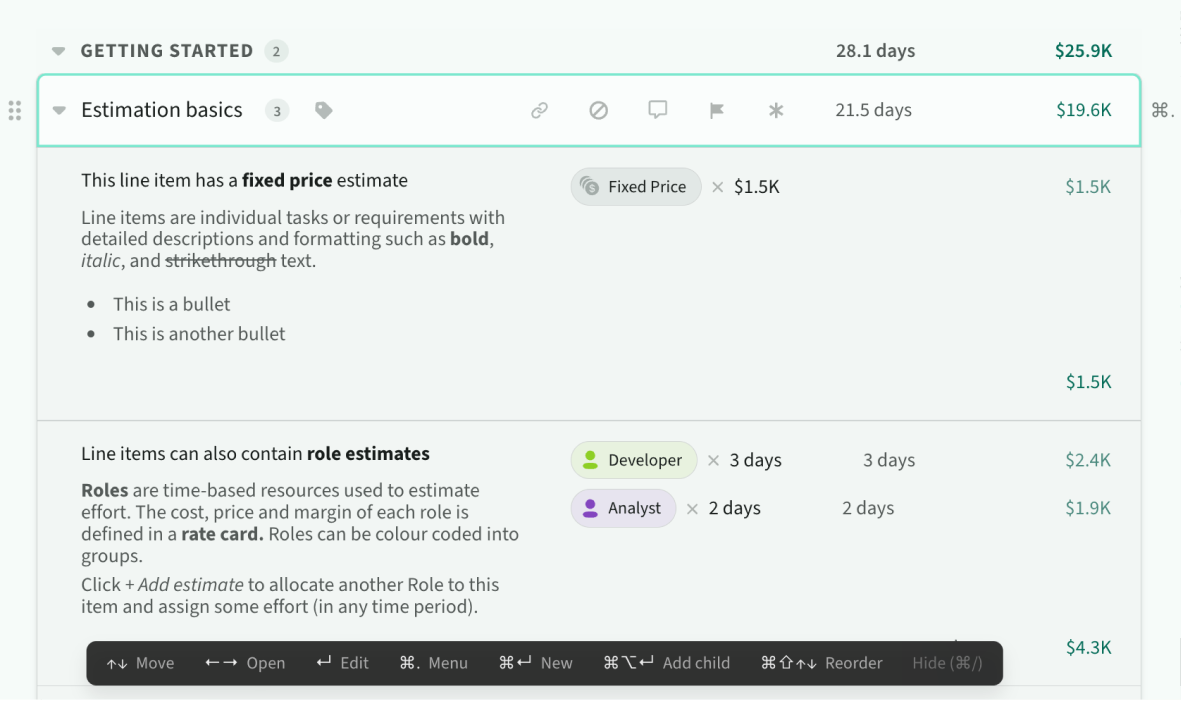 Keyboard contextual menu