 Getting started
 Pipeline
 Forecasts
 Deals
Deals Deals (advanced)
 Proposals
 Exports
 Library
 Resources
 Integrations
 Settings
 Glossary
 FAQs
FAQs Releases
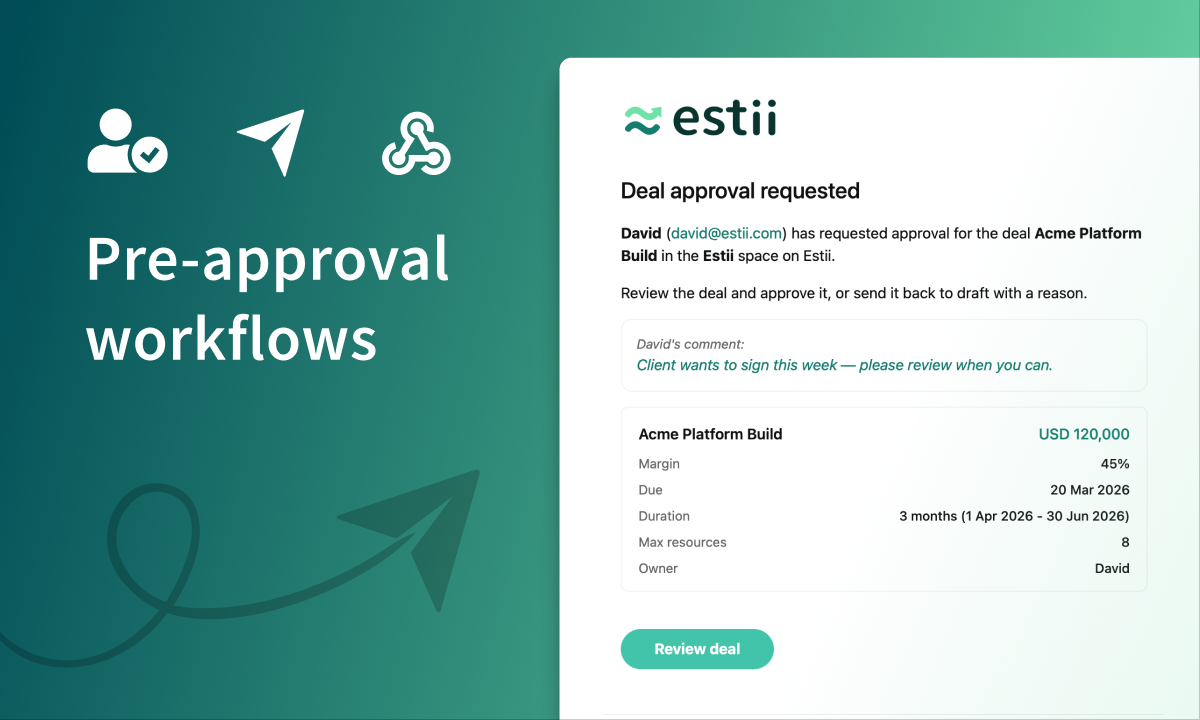
Pre-approval workflows
Jun 10, 2026
Deals gain a pre-approval gate with email notifications, automations can now receive deal updates through incoming webhooks, and roles support per-currency rates via a new edit dialog.
Overview
- New pre-approval gate for deals, with approvers notified by email
- Automations can now receive deal changes from an incoming webhook
- View role, stream and product details inside a deal (read-only)
- Set per-role currency via the new role edit dialog
Deal approvals
Deals now move through an approval gate before they can be approved, so a second pair of eyes signs off before a deal is final.
- Anyone who can edit a deal can Request approval on a draft. The deal moves to For approval and the people who can approve it are notified by email. Pick a specific approver, or leave it to notify everyone who can approve.
- Managers and above can Approve a pending deal, or Redraft it to send it back to draft with a reason. Either way, whoever requested approval gets an email with the outcome.
- Admins can still approve a draft directly when they do not need the gate.
By default managers and above can approve. You can raise that bar in Settings > Members, from editors up to owner only, which is useful when an external system signs deals off for you.
A deal stays read only while it is awaiting approval. To make changes, redraft it back to draft.
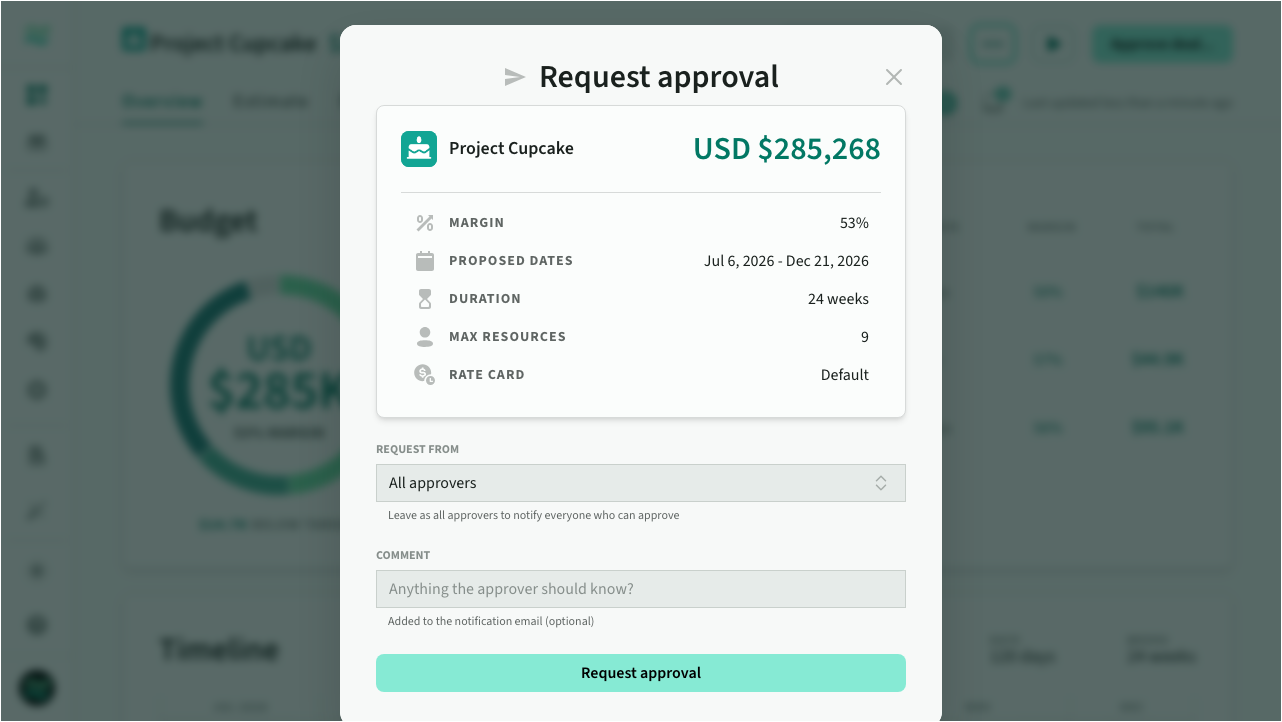 Request approval
On the pipeline, the open tab gains an For approval lane between Draft and Approved, so it is easy to see what is waiting on a decision. In the cards view, in-play deals share the Approved column to make room; switch to the list view to see them separately.
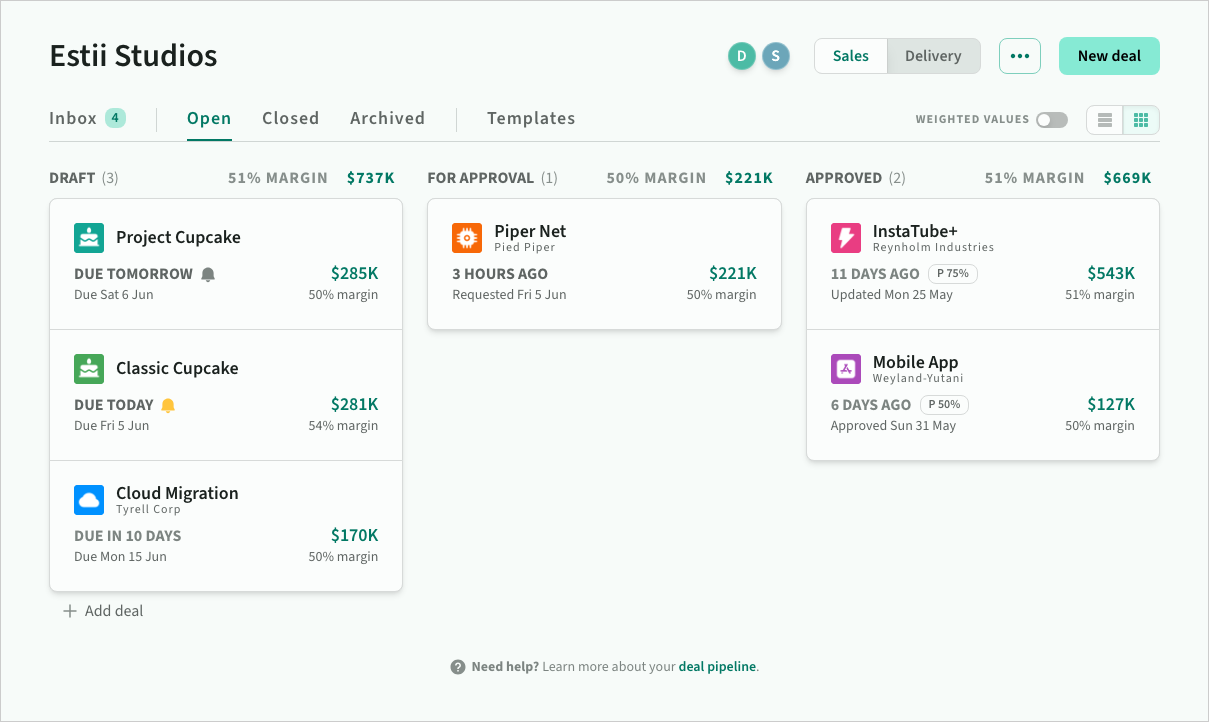 For approval lane on the pipeline
Incoming webhooks
The webhook integration now works both ways. As well as sending deal data out when deal status changes, you can receive deal updates back in from an external system.
Much like the Salesforce automation, you can update a deal's metadata and status from an external system. For example, you could drive a custom approval workflow: a deal waits in Awaiting approval while your own service reviews it, then POSTs back to approve the deal or send it back for changes. An automation maps the incoming fields onto the deal, so the same change you would make by hand happens automatically.
To set one up, create an automation with the Webhook Received trigger, or start from the Pre-approval gate template. The connection panel shows your endpoint URL and signing key, with a sample payload to test against.
Resource details
Use the new role details dialog to view and edit all rates for a single role, and override the default space currency.
Within a deal, you can also view and update individual roles, streams and product details via the estimate resource dropdown.
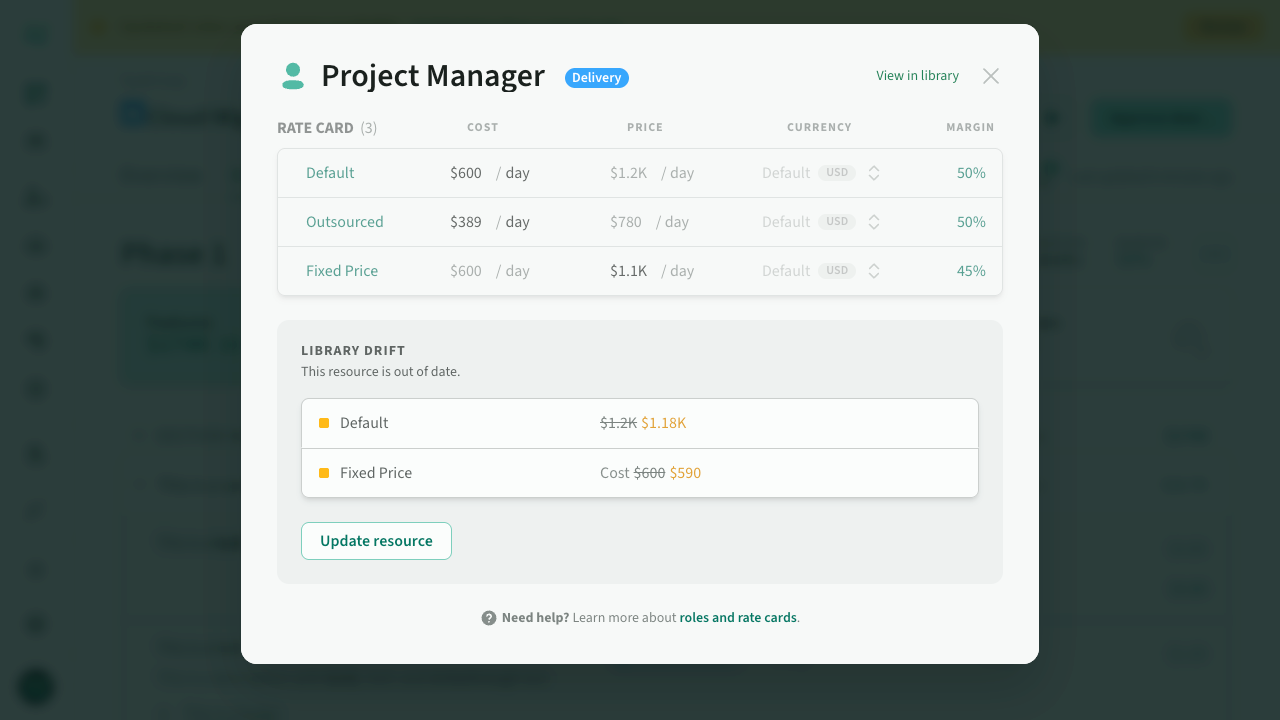 Role detail dialog
Misc updates
A batch of minor improvements to deal estimation:
- Description links: Support for markdown links in line item descriptions.
- Item totals: Mixed-unit items now show the dominant unit count
...+instead ofMixed. - Deal update: Roles with the same name now map to a single
updateaction, rather than a separatedelete(old) andadd(new). - External IDs: Now visible on line items and resource dialogs, and included in resource CSV exports.
- New deal animation: Deals animate into the pipeline list when created.
- Improved deal card layout: Probability is always visible on approved deals, and the original value shows when viewing weighted values.
- Activity events: Added events for deal deletes.
- Forecast deal filter: no longer include deal templates