 Getting started
 Pipeline
 Forecasts
 Deals
Deals Deals (advanced)
 Proposals
 Exports
 Library
 Resources
 Integrations
 Settings
 Glossary
 FAQs
FAQs Releases
Quieter estimates, Exec summaries
Apr 23, 2026
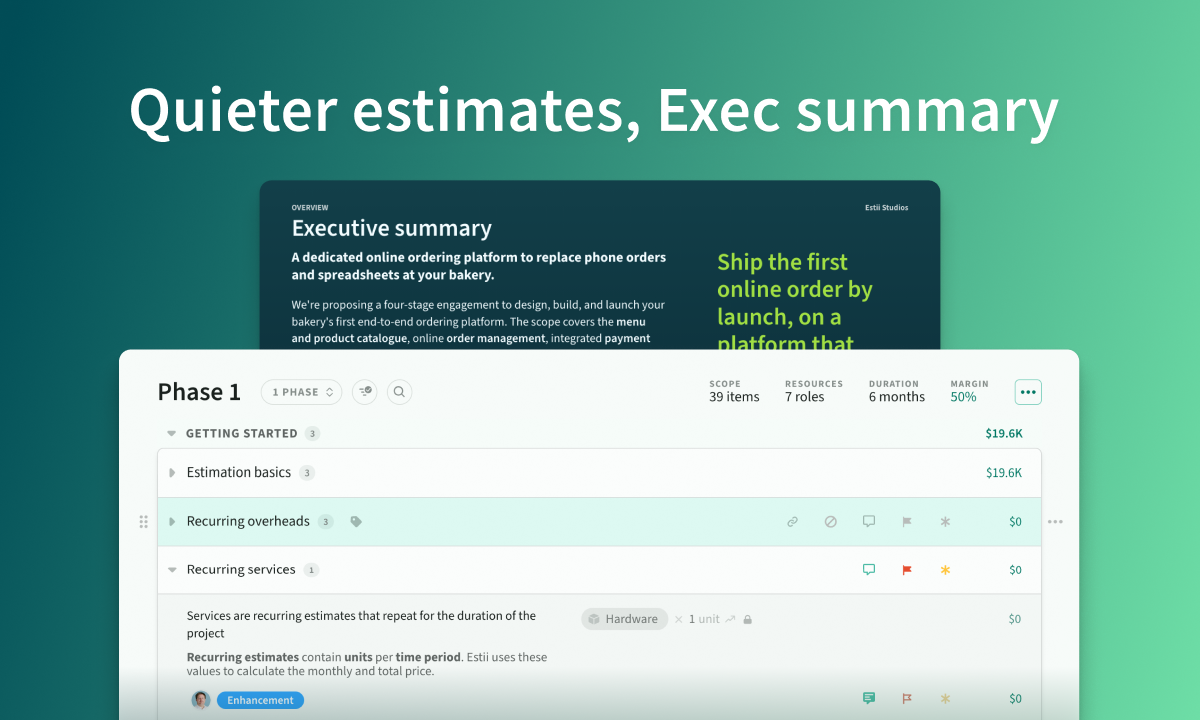
A decluttered estimates view with toggleable columns, a new executive summary slide for proposals, and item-level comments with flexible moves across the hierarchy.
Overview
Quieter estimates
- Subtotals now sit in the section header
- Priority, risk and scope each in their own column, with empty actions hidden until hover
- Layout menu lets you show or hide secondary columns to match how you scan
Proposal
- New executive summary slide: optional subheading, markdown body and pull quote, placed before the table of contents
- Budget breakdown by section when a deal has a single category, instead of collapsing into one slice
Estimate quality-of-life
- Comment on items, not just line items
- Move categories, sections, items and line items anywhere; create the destination inline
- Override priority or risk on a single line item; contingency and breakdowns follow
Quieter estimates
Subtotals now sit in the section header. Priority, risk and scope each have their own column. Empty actions only appear on hover, so rows with values are easy to scan at a glance.
The layout menu in the filter bar toggles secondary columns on and off, so you can match the view to how you read an estimate.
Restored the divider between items and their line items that went missing last release.
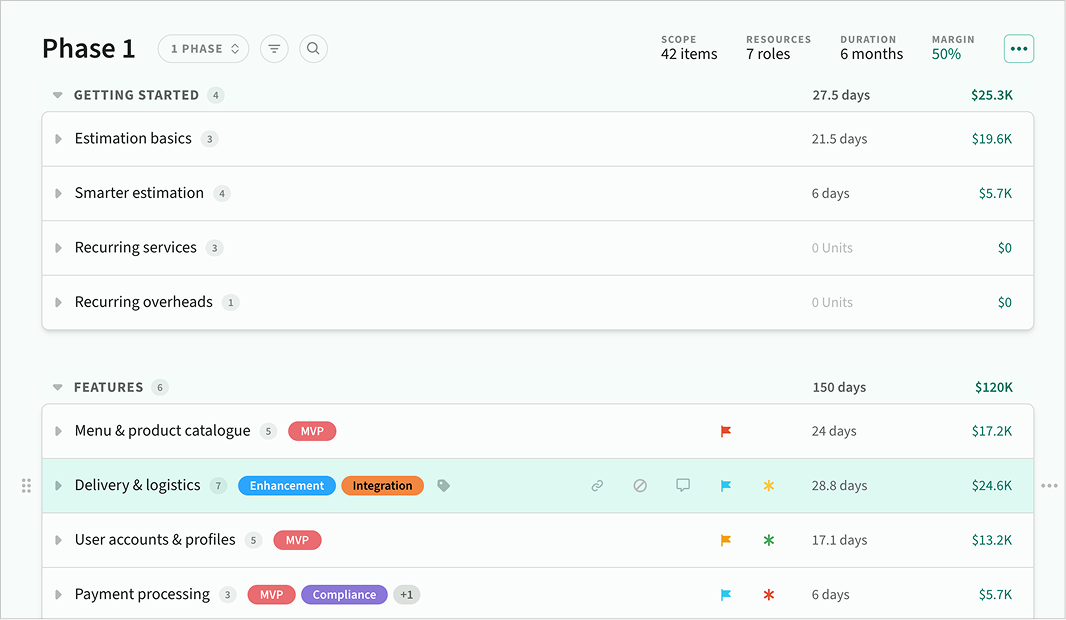 Decluttered estimates UX
Executive summary slide
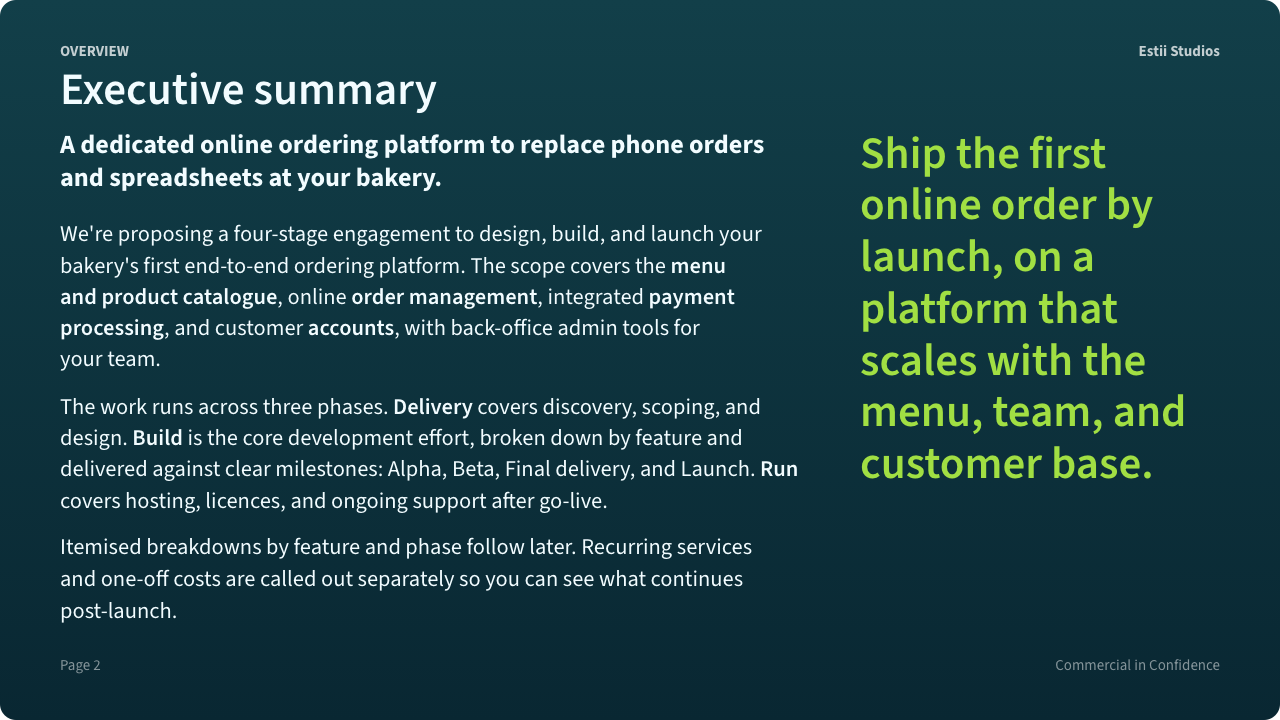 Executive summary slide template
Proposals can now open with a dedicated executive summary, placed between the cover and the table of contents. It's optional. The slide stays skipped until you add content.
Edit from the proposal settings panel. Click Edit content to open the editor, then fill in a subheading, markdown body (bold, lists, emphasis), and an optional pull quote on the right. Override the slide title from the section header setting like any other slide.
The slide follows your theme and exports cleanly to PDF, PowerPoint, and images.
Budget breakdown by section
When a deal rolls up to a single phase and single category, the proposal budget slide and the estimates tab now break down by section instead of showing one catch-all category slice. Sections without a name fall back to the category name. Multi-category deals are unchanged; they still break down by category.
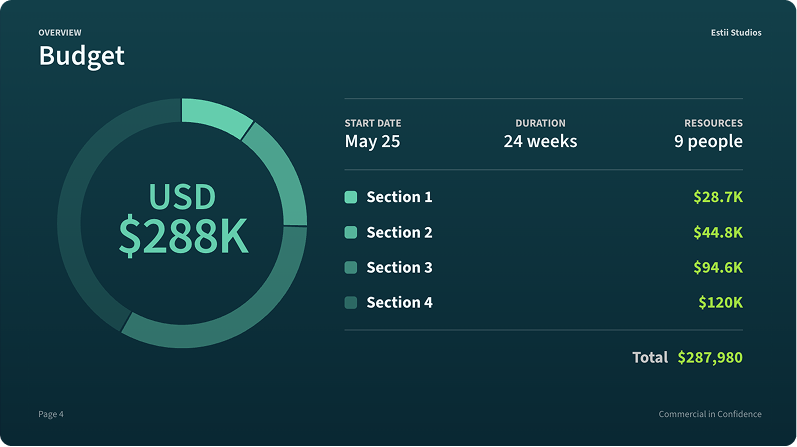 Budget breakdown falls back to sections for single-category deals
Item comments
Comments now work on items, not just line items. Useful for scope questions, context, or decisions that don't belong on a specific line item.
Item comments behave the same as line item comments: reply with @mentions, resolve, filter, deep link, and navigate between them. They also flow into the inbox and activity feed.
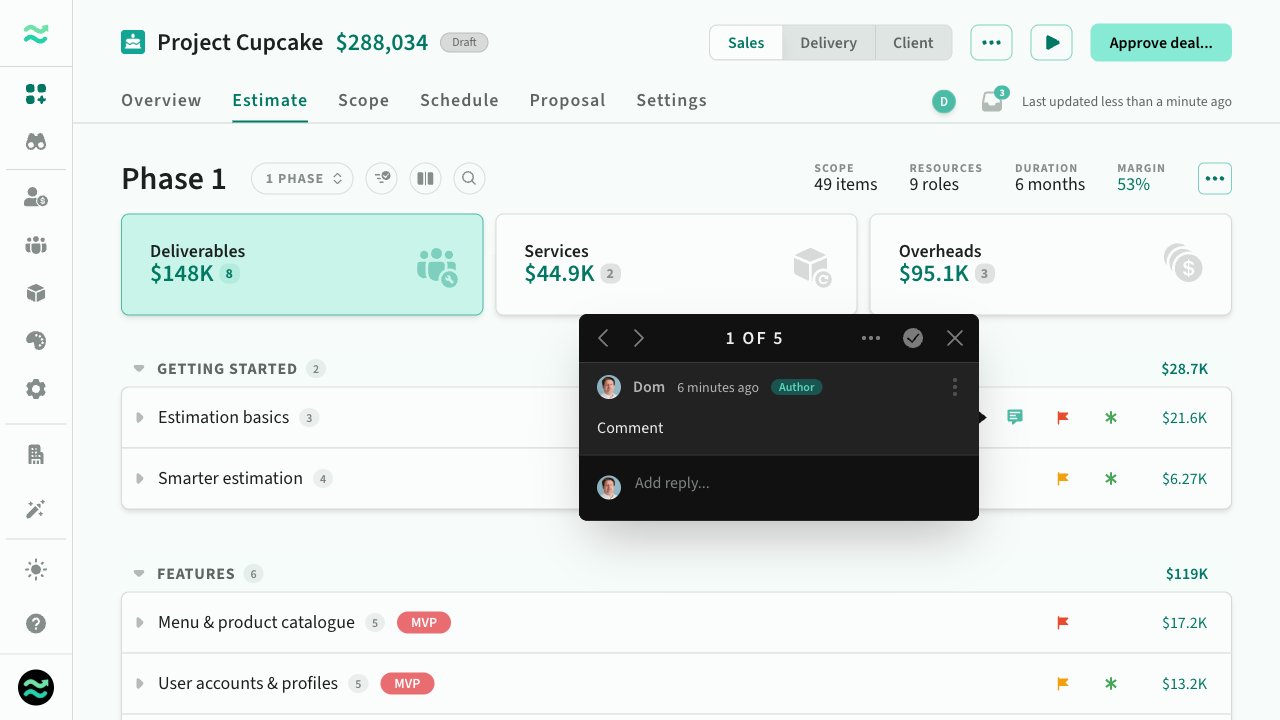 Comment on items or line items
Move to… across the hierarchy
The Move to… action now works at every level: category, section, item and line item. You can also create the destination (new category, section or item) in the same flow, instead of setting it up first.
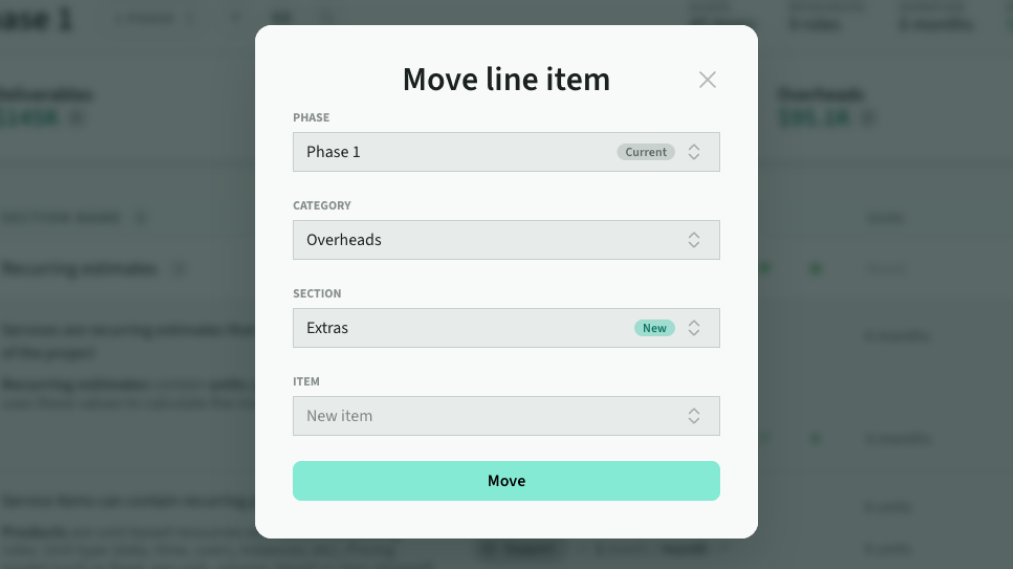 Improved move to…
Per-line-item priority and risk
Line items inherit priority and risk from their parent item by default, with a ghosted icon showing the inherited value. Set an explicit value on a line item to override. Pick Same as item to go back to inheriting.
A line item with its own risk uses that risk for its contingency, so price totals, exports and breakdowns reflect the real shape of the work rather than the item-level average.
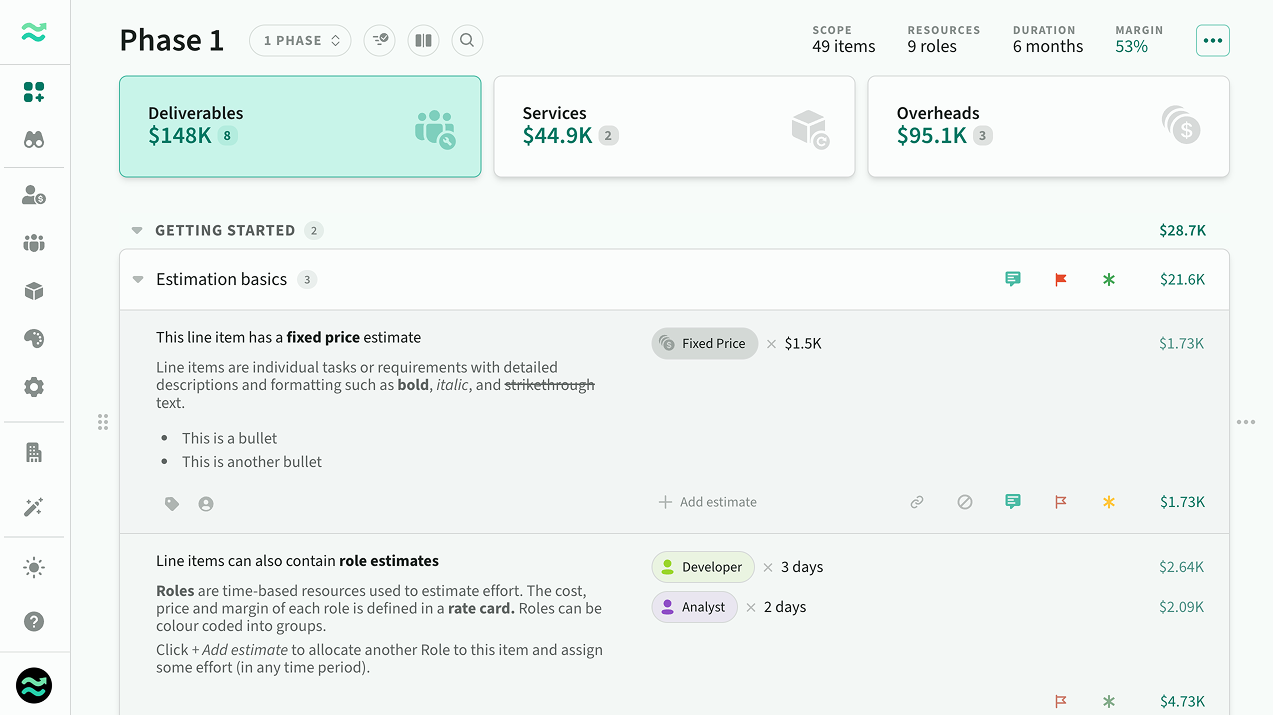 Override priority and risk per line item
Misc
- Various fixes to comment popover positioning and next/previous navigation.
- Fixed recurring roles incorrectly appearing on the proposal's recurring services slide.
- Estimates that breach their category's rules now stay counted and editable, with a padlock tooltip explaining what needs fixing.